Safety first. The following information is for educational purposes. CNC machining involves high-speed rotating cutters. Always wear eye and ear protection, never leave a running machine unattended, and verify all feeds and speeds for your specific setup.
CNC workholding is the discipline of keeping your material dead still while the cutter fights to move it, and on a hobby gantry it decides more parts than the machine, the bit, or the G-code ever will. Across the machines I run, the same truth holds: almost every broken bit, ruined edge, and part-launched-across-the-shop morning traces back to a hold that was wrong for the job. This guide is the decision map — which of the five core methods fits the part in front of you, and where to go deep.
I have surfaced more spoilboards than I can count, peeled enough double-stick tape to carpet a room, and pulled a vacuum table out of a box specifically because I was tired of the “the part flew” story. What follows is how I actually choose a hold: by the part’s geometry, the cutting forces, and how many of them I need to make. If you want the broad fundamentals first, my CNC workholding and fixturing primer walks the forces and the 3-2-1 locating logic; this hub is the next layer — the strategy that points you to the right deep-dive.
Why Workholding Decides Almost Every Part
Workholding fails in one of two ways: the part shifts (ruining location and usually the part) or the part lifts and becomes a projectile. A 1/4″ cutter in a profiling pass throws lateral loads in the tens-to-hundreds-of-newtons range, plus an upward pull on every climb-milling segment. Your hold has to beat all of it, in every direction, for the whole cut.
The mistake beginners make is treating workholding as an afterthought — clamp it down, hit go. The operator’s instinct is the reverse: I plan the hold before I plan the toolpath, because the hold dictates where the clamps can live, whether I can machine the full top face, and how the part comes free at the end. Get that order right and the broken-bit stories mostly stop. Get it wrong and no spindle, bit, or feed rate saves you. If you are considering upgrading the cutting head itself, the CNC spindle vs router guide compares purpose-built spindles against trim routers on runout, noise, and collet variety.
It helps to separate the two jobs a hold actually does. Locating establishes where the part sits in machine coordinates — that’s your fence, your stops, your locating pins. Clamping applies the force that pins the part against those locating surfaces. They are not the same thing, and the classic beginner error is clamping hard against an imprecise location, which gives you a part that’s held solid but in the wrong spot. For repeatable runs I lean on the 3-2-1 principle — three points define the plane the part rests on, two define a line that sets one axis, one sets the last axis — so every blank loads into the same place without me re-measuring. For a one-off, eyeballing a corner against two fence rails is plenty. The point is to decide which you need before you reach for a clamp.
The Five Workholding Methods, and When Each Wins
There are five families of hold on a desktop CNC: mechanical clamps, vacuum, adhesives (tape and glue), vises, and cut-strategy holds (tabs and onion-skinning). Each one owns a different kind of part. The skill is matching the part — its thickness, flatness, footprint, and the forces of the cut — to the method that fits, not forcing one method onto every job. Most experienced operators end up running two or three of these in combination on the same setup: tape to hold a thin sheet flat while tabs keep the profiled parts from breaking loose, or a vise that locates the part while soft jaws cradle its contour. Thinking of them as a toolkit rather than a single answer is what separates a setup that just barely holds from one that holds with margin to spare.
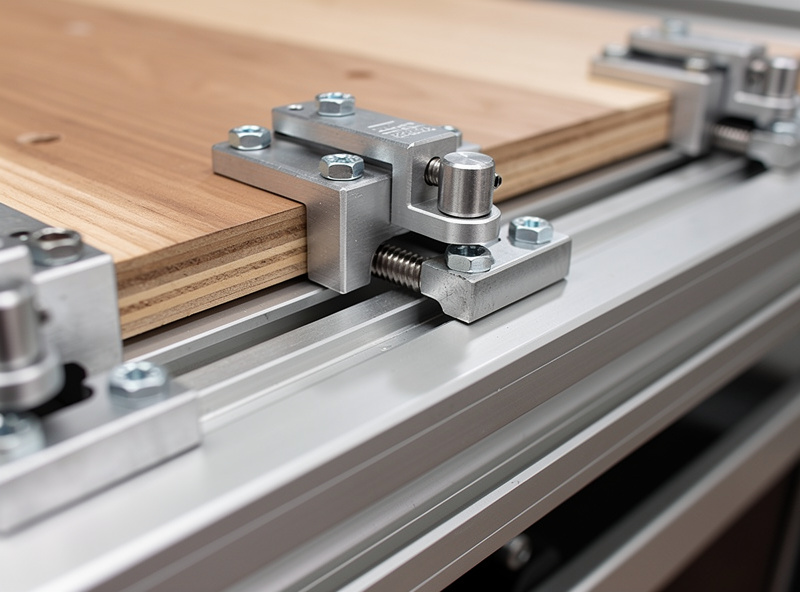
Mechanical clamps and hold-downs
Clamps are the default and the most flexible: step clamps, low-profile cam clamps, and toe clamps biting into T-track. They handle thick, rigid stock and aggressive cuts that no tape or vacuum will hold, and they reposition in seconds. Their weakness is the obvious one — they sit on top of the part, so they get in the toolpath’s way and you have to choreograph around them. The trick is matching the clamp to the part: step clamps for thick stock where height clearance matters — and where the gantry’s usable Z-travel caps what you can actually hold. If that clearance feels tight, the CNC Z-axis upgrade guide covers lead-screw swaps and carriage stiffening that reclaim real headroom., low-profile cam clamps when the gantry is close to the bed, and toe clamps when I need to machine the entire top face and can only grip the edge. For the full breakdown of clamp types and the placement rules that stop a part walking, see my deep dive on CNC clamps and hold-downs.
Vacuum tables
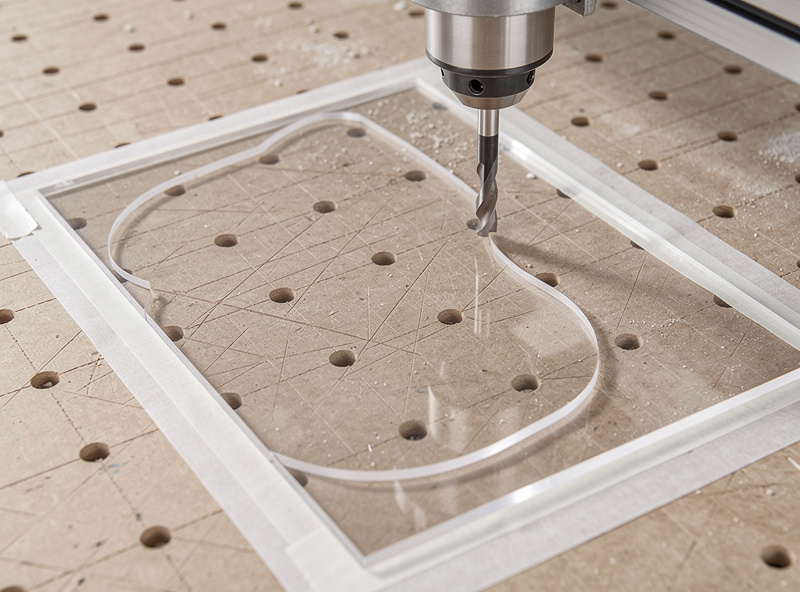
Vacuum holds flat sheet with zero clamps in the way — place part, flip the switch, machine the entire top surface. It is the production answer for plywood, acrylic, and thin panels, and a DIY MDF vacuum table fed by a shop vac is well within hobby reach. The limit is physics: hold force equals vacuum pressure times sealed area, so small parts and porous or non-flat stock fall outside its envelope. I cover the whole build in a dedicated DIY CNC vacuum table build.
Adhesive: tape and CA glue
For thin, flexible, or oddly shaped parts that mechanical clamps would distort, adhesive wins. Heavy double-stick tape holds light cuts across the full footprint; the painter’s-tape-plus-CA-glue trick takes aggressive cuts that would tear tape free, then releases cleanly with solvent. It is my go-to for thin sheet and small one-offs. The technique — and the order of operations that keeps glue off your fixture plate — is in the painter’s tape and CA glue method.
Vises
When you machine small, thick parts or need repeatable location for a run, a vise beats clamping to the bed. A trammed vise with parallels and soft jaws gives you precise, fast part changeover the table can’t match — the jaws locate the part the same way every time, so once the first one is dialed in the rest just drop in. The trade is a small work envelope and the need to indicate the jaws parallel to the machine axes before you trust it. Parallels lift the part above the jaws so you can machine through it without cutting into steel, and soft jaws can be milled to cradle an awkward contour. My full take is in the guide to using a vise on a CNC router.
Cut-strategy holds: tabs and onion-skinning
The fifth method isn’t a device — it’s how you program the cut so the part holds itself until the last moment. Tabs leave small bridges connecting the part to the surrounding stock; onion-skinning leaves a paper-thin floor instead of cutting all the way through. Both stop the dreaded final-pass launch when a part cuts free over a clamp-free zone. The choice between them is the subject of tabs vs onion skin.
How I Choose: Part Geometry First, Then Forces
My decision runs in this order. First, thickness and flatness: thin flat sheet points at tape or vacuum; thick rigid stock points at clamps or a vise. Second, footprint: a big panel seals well under vacuum, a tiny part has nowhere near enough sealed area and wants tape, glue, or a vise. Third, cutting forces: a light engraving pass tolerates tape, an adaptive aluminum roughing pass demands mechanical hold. Fourth, quantity: a one-off can be taped down in a minute, while a run of fifty wants a repeatable vise or a vacuum jig.
A few worked examples make the logic concrete. A sheet of 3mm acrylic for a sign blank: flat, thin, large footprint, light cuts — that’s tape or vacuum every time, with a downcut bit so the edges press down rather than lift. A 40mm-thick hardwood bracket: thick, rigid, small, heavy profiling — that’s step clamps if I can route around them, or a vise if I need the whole perimeter clear. A run of twenty identical aluminum spacers: small, thick, repeatable, high forces — soft jaws in a vise, cut once to cradle the blank, load and go. A delicate plywood inlay with intricate inside cuts and no room for a clamp: full-footprint tape plus tabs in CAM so nothing breaks loose mid-cut. Once you’ve run the decision a few dozen times it stops being a checklist and becomes reflex.
The last question is access — can the chosen hold clear the toolpath? A clamp in the wrong place is a guaranteed crash, which is exactly why vacuum and adhesive exist: they hold from below and leave the whole top face open. Holding genuinely small parts that none of the standard methods grip well is its own problem; I solved it enough times that it earned a dedicated guide on holding small parts on a CNC.
Workholding Methods Compared
This is the table I wish I’d had when I started — the honest trade-offs by method, scored from the bench rather than the brochure. “Hold strength” is relative to a hobby gantry’s cutting loads, not industrial.
| Method | Best for | Hold strength | Top-surface access | Setup speed | Cost to start |
|---|---|---|---|---|---|
| Step / cam clamps | Thick rigid stock, heavy cuts | High | Blocked at clamp points | Fast | Low |
| Vacuum table | Flat sheet, production runs | Medium (area-dependent) | Full | Very fast per part | Medium (DIY) to high |
| Double-sided tape | Thin sheet, light cuts | Low-medium | Full | Medium | Very low |
| Painter’s tape + CA glue | Aggressive cuts on flat parts | High | Full | Slow (cure time) | Very low |
| Vise + soft jaws | Small thick parts, repeat runs | Very high | Sides only | Fast (once trammed) | Medium-high |
| Tabs / onion skin | Profiling parts free of the stock | N/A (anti-launch) | Full | In CAM, no extra hardware | None |
The Workholding Mistakes That Cost Me Bits
Most workholding failures are not exotic — they are the same handful of errors repeated. Clamping too far from the cut is the big one: clamping force is local, and a clamp at the far corner does almost nothing for a part flexing right under the cutter. I distribute clamps around the work and put them near where the tool is engaged, not where there happens to be a free T-slot.
The second killer is climb-milling a lightly held part on a flexy hobby gantry. Climb cuts can grab and lift, and on a marginal hold that’s exactly how a part walks or launches. When the hold is anything less than rock-solid I run conventional on the finishing perimeter, or I add a downcut bit to keep the part pressed down. The third is forgetting that thin stock flexes between support points — a part can be clamped at the edges and still bow up into the cutter in the middle, so I back thin sheet with full-contact tape or vacuum rather than trusting edge clamps alone.
The fourth is the one that wrecks tools outright: not simulating the clamp positions against the toolpath. I mentally walk every rapid and every contour around the hardware before I hit go, and on an unfamiliar setup I’ll air-cut above the part to watch the gantry clear the clamps. A tool-to-clamp collision destroys the bit, can knock the machine out of square, and turns a clamp into shrapnel. Knowing precisely where the tool tip sits in Z before each job is the other half of that safety margin — a CNC touch probe automates that Z-zero reliably rather than relying on paper-under-the-bit estimates. Thirty seconds of checking beats all of that.
Building the Foundation: T-Track and the Wasteboard
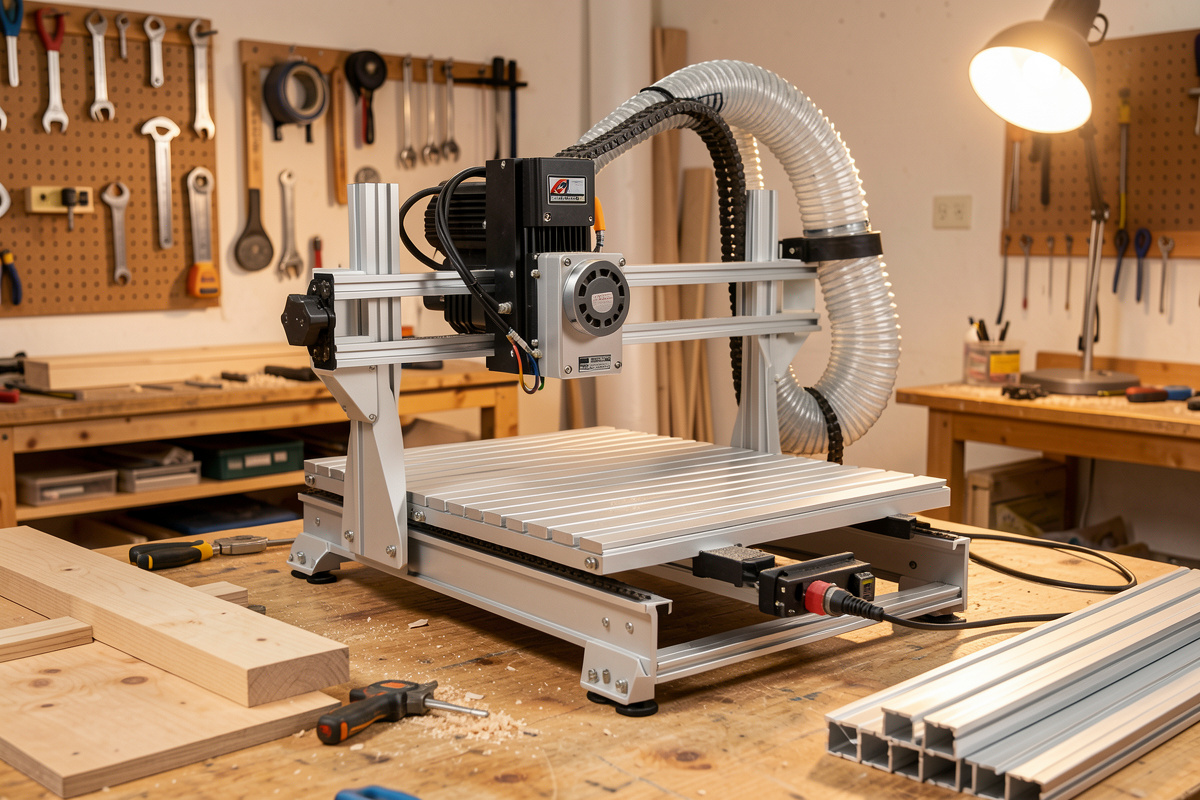
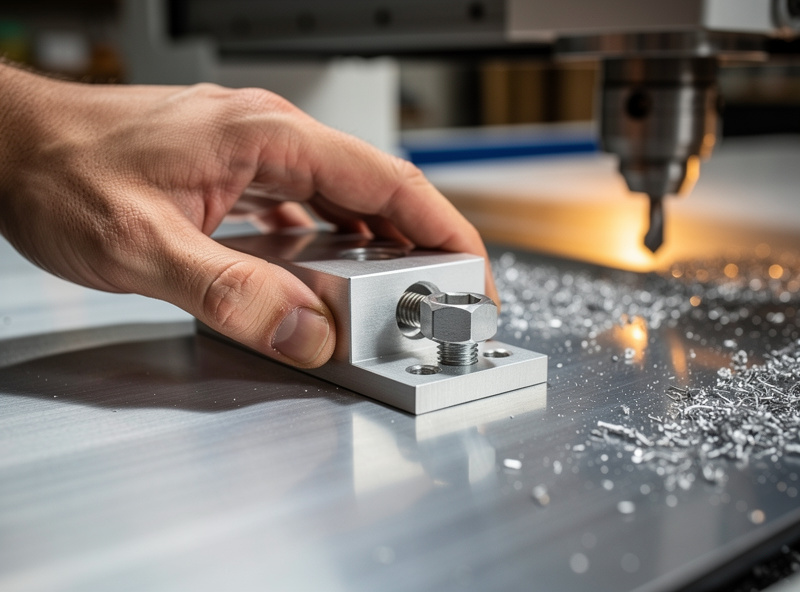
Most of these methods rely on what’s under the part. A flat, surfaced spoilboard with a proper T-track grid is the workbench every clamp, every tape job, and every vacuum gasket sits on. Get the wasteboard right — surfaced true to the gantry, T-track laid out for your common part sizes — and every other method gets easier. I walk the layout, surfacing, and T-track install in a dedicated CNC T-track and wasteboard deep-dive. Surfacing that board flat is also a feeds-and-speeds job; the same logic I use for CNC feeds and speeds applies to the surfacing bit.
Why does flatness matter so much for holding? Because every adhesive and vacuum hold depends on contact, and a wasteboard that isn’t surfaced true to the gantry leaves gaps a part can rock in or a gasket can’t seal across. A spoilboard that I’ve surfaced in place — same machine, same trammed spindle — is co-planar with the cutter’s travel by definition, which is the whole point. I re-surface mine whenever it picks up enough scars and glue residue to stop sitting parts flat, and I treat a fresh surfacing pass as routine maintenance, not a project. T-track laid out on a grid that matches my common stock sizes means a clamp is always within a couple of inches of where I need it, which loops straight back to the rule about clamping close to the cut.
Workholding Is a Safety System, Not Just a Quality One
It is easy to think of workholding purely in terms of part accuracy, but a failed hold is the most common way a hobby CNC actually hurts someone. When a part breaks free of a marginal hold it doesn’t just ruin the cut — it becomes a projectile thrown by a spindle turning many thousands of RPM, and a broken bit fragments at the same time. I treat the hold as the first line of safety on the machine, ahead of the dust boot and ahead of eye protection, because it is the thing that keeps the workpiece from becoming the hazard in the first place. For the dust boot specifically — which shoe geometry clears chips without blocking the view or limiting Z-travel — the CNC dust boot guide covers brush-skirt vs fixed-skirt designs and what to look for on a gantry machine.
That mindset changes how I work. I never stand in line with a part that’s lightly held during a heavy pass; I keep the feed-hold within reach; and when I’m unsure whether a hold will survive a cut, I prove it with a conservative roughing pass before I commit to full feeds. A hold that’s “probably fine” on a wood engraving is genuinely fine. The same hold on an adaptive aluminum roughing toolpath, where loads jump and the cutter is fully engaged, is a gamble I won’t take — that work goes in the vise or gets clamped down hard with the cut planned around the hardware. Respecting the forces is not paranoia; it’s the difference between a long machining life and a story about the day a part came off the bed.
Workholding Changes With the Material
The hold and the cut are not separable. Machining 6061 aluminum throws far higher loads than wood, so the tape jobs that hold pine for engraving will tear free under an adaptive aluminum pass — that’s vise or clamp territory. Acrylic and other thin plastics seal beautifully under vacuum or tape but crack if a clamp over-tightens. Hardwood takes clamps happily; carbon fiber sheet is a tape-and-vacuum job because it is thin and you never want a clamp flexing it. Match the hold to the forces the material generates, not just to its shape.
When Off-the-Shelf Won’t Hold It: Custom Fixtures
Some parts fight every standard method — irregular shapes, parts that need machining on two sides, or runs where you load and unload fifty identical blanks. That’s when I build a fixture: a sub-plate with locating pins, a pocket milled to cradle the part, or soft jaws cut to the exact contour. The crossover with the rest of the shop is real here — the same machine that holds a part also cuts the jig, and sometimes the welder makes the steel sub-plate. My comparison of CNC vs 3D printing for jigs and fixtures covers when each process wins, and the spot-drill template workflow shows fixturing where CNC feeds straight into a weld setup.
The Workholding Upgrade Path
You do not buy all of this at once, and you shouldn’t. The order I’d hand a new operator goes like this. Start with a surfaced spoilboard, a T-track grid, and a set of step and cam clamps — that combination handles the large majority of wood and plastic work and costs little. Add a roll of heavy double-sided tape next, because the day you need to hold a thin sheet flat will come fast and nothing else does it as cheaply.
The painter’s-tape-and-CA-glue method is the next rung and it costs almost nothing — a bottle of thin CA, accelerator, and the painter’s tape you already own — yet it unlocks aggressive cuts on flat parts that tape alone can’t hold. Only after that would I spend real money: a vise (with soft jaws) when small-part and repeat work starts to dominate, and a vacuum table when flat-sheet production becomes the bottleneck. I built my vacuum table from MDF and a shop vac long before I’d consider a dedicated pump, and that DIY version paid for itself in saved parts within a month. Buying in that order means every upgrade is driven by a real holding problem you’ve actually hit, not by a forum thread telling you that you need a $400 vise on day one. Before spending on spindles or vacuum tables, cable management is worth sorting — loose stepper and router cables snag during gantry moves and cause false limit triggers that are hard to diagnose. Adding proper switches in the first place, and understanding the homing sequence that uses them, is covered in the CNC limit switches and homing guide.. The CNC drag chain guide covers sizing and routing for X, Y, and Z axes on common hobby gantry footprints.
Workholding, Bits, and CAM Are One System
A good hold pairs with the right cutter and the right toolpath. A downcut bit presses thin parts down into the hold instead of lifting them, which makes tape and vacuum jobs far more forgiving. Adaptive toolpaths in Fusion 360 spread the cutting load and ease the demand on your hold versus a full-width slot. Start from my router bits guide and tooling fundamentals when you’re choosing the cutter to pair with a hold, and the complete CNC workflow for where workholding fits in the job from CAD to finished part.
Frequently Asked Questions
What is the best CNC workholding method for beginners?
Step clamps and T-track are the best starting point: cheap, flexible, and forgiving of mistakes. They hold thick rigid stock for most jobs. Add double-sided tape for thin sheet, then a vacuum table or vise once your work demands them.
Why does my part move during a CNC cut?
The hold is losing to the cutting forces, usually lateral push during profiling or lift during climb milling. Add more clamping points closer to the cut, switch to a downcut bit to press the part down, or move to a stronger method like CA glue or a vise.
Is a vacuum table worth it for a hobby CNC?
For flat sheet work and production runs, yes. A DIY MDF vacuum table on a shop vac ends most part-flew failures on plywood and acrylic. It is not worth it if you mostly cut thick, small, or non-flat parts, which seal poorly and hold better with clamps or a vise.
How do I machine the entire top surface without clamps in the way?
Use a hold that grips from below or the side: vacuum, double-sided tape, the painter’s tape and CA glue method, or toe clamps that bite the edge. These leave the full top face open so the toolpath never collides with a clamp.
Do I need a vise for a CNC router?
Only if you machine small thick parts or repeat runs needing precise location. A trammed vise with soft jaws gives fast, repeatable changeover. For sheet goods and large flat parts, clamps, tape, or vacuum are better fits than a vise.
What are tabs and onion skinning in CNC?
Both stop a part launching when a profile cuts free. Tabs leave small bridges connecting the part to the surrounding stock; onion skinning leaves a paper-thin floor under the whole part. You snap or skim them off after the cut.