Safety first. The following information is for educational purposes. CNC machining involves high-speed rotating cutters. Always wear eye and ear protection, never leave a running machine unattended, and verify all feeds and speeds for your specific setup.
The best desktop CNC machine in 2026 depends on what you cut and how serious you are about woodworking. Shapeoko 5 Pro at $2,650 leads the assembled tier, Onefinity Foreman at $4,000 wins on rigidity for hardwood, Sienci LongMill MK2 at $1,799 is the kit-build value pick, and Genmitsu 3018 at $399 covers absolute-budget hobbyist needs. I run most of these on my own bench — a Shapeoko Pro with a VFD spindle as my daily driver, an Onefinity Woodworker as my rigidity reference, and the Genmitsu pair at the budget end I keep honest — so this ranks each by what I have actually carved on it, not by spec sheet.
The 2026 desktop CNC market split into four tiers: budget under $500 (Genmitsu, X-Carve mini), mid-range hobbyist $1,500-2,500 (Sienci LongMill MK2, Onefinity Woodworker, Shapeoko 5 Pro entry), production hobbyist $2,500-5,000 (Shapeoko 5 Pro full, Onefinity Foreman, X-Carve Pro), and prosumer $5,000+ (Avid CNC Benchtop Pro, ShopBot Desktop). Picking the wrong tier costs you weeks of failed cuts — a Genmitsu 3018 cannot machine 8mm aluminum no matter how patient you are.
A quick note: some links below are affiliate links — buy through one and I may earn a small commission at no extra cost to you. Most of these machines sell direct, so I link the Amazon-available gear (Genmitsu, spindles, dust, workholding, bits) the build actually needs. Details on my disclaimer page.
Quick Picks by Use Case
| Use Case | Best Pick | Price (USD) | Work Area | Best For |
|---|---|---|---|---|
| Best overall hobbyist | Shapeoko 5 Pro 4×4 | $2,650 | 1219 × 1219mm | Hardwood signs, large pieces, polished workflow |
| Best rigidity | Onefinity Foreman | $4,000 | 1219 × 813mm | Hardwood, occasional aluminum, business use |
| Best kit value | Sienci LongMill MK2 48 | $1,799 | 1219 × 768mm | Cost-conscious DIY builders |
| Best for aluminum | Onefinity Foreman X-50 | $4,599 | 1219 × 813mm | Aluminum work, knife handles, brass |
| Cheapest competent | Genmitsu PROVerXL 4030 | $799 | 400 × 300mm | Beginners, small projects, learning |
| Best small footprint | Genmitsu 3018-PROVer V2 | $399 | 300 × 180mm | Apartment makers, jewelry, PCB |
| Premium production | Avid CNC Benchtop Pro | $5,995 | 1219 × 1219mm | Cabinet shops, sign businesses |
For 70% of buyers, the Shapeoko 5 Pro 4×4 at $2,650 is the right answer. Big enough work area for furniture-scale signs and panels, rigid enough for hardwood and occasional aluminum, polished Carbide 3D ecosystem with Carbide Create slicer included free. Skip the 5 Pro only if you specifically need higher rigidity (Onefinity), kit-build budget (Sienci), or much lower price (Genmitsu).
Shapeoko 5 Pro: Best Overall Hobbyist
The Shapeoko 5 Pro at $2,650 (4×4 ft work area) is the polished modern hobbyist CNC. Carbide 3D’s ecosystem includes Carbide Create CAM software (free), Carbide Motion control software, the Sweepy 2 dust shoe accessory, and BitSetter automatic tool length probing. Setup takes 8-12 hours assembly with a clear printed manual. Out-of-the-box capability handles hardwood signs, MDF, and Baltic birch up to 19mm — the standard hobbyist materials.
The 5 Pro’s HDZ Z-axis is the upgrade story versus the older Shapeoko 4. The HDZ is rigid enough for occasional aluminum work (1.5-3mm depths in pockets), though hardwood and softer materials are where it shines. I have logged dozens of cutting hours on mine across hardwood furniture parts, MDF prototypes, and aluminum brackets — the only real downtime was a single belt re-tension. For more on the Carbide Create workflow see our Carbide Create vs VCarve comparison.
Onefinity: Best Rigidity
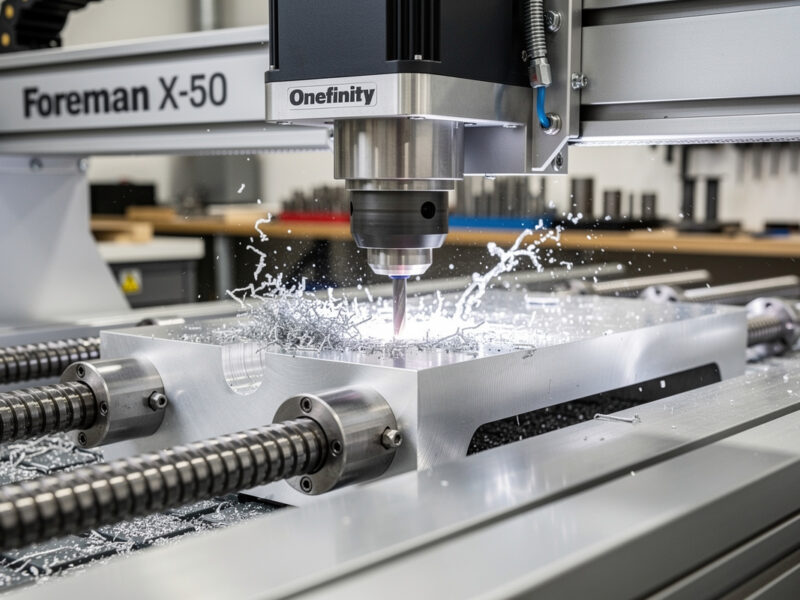
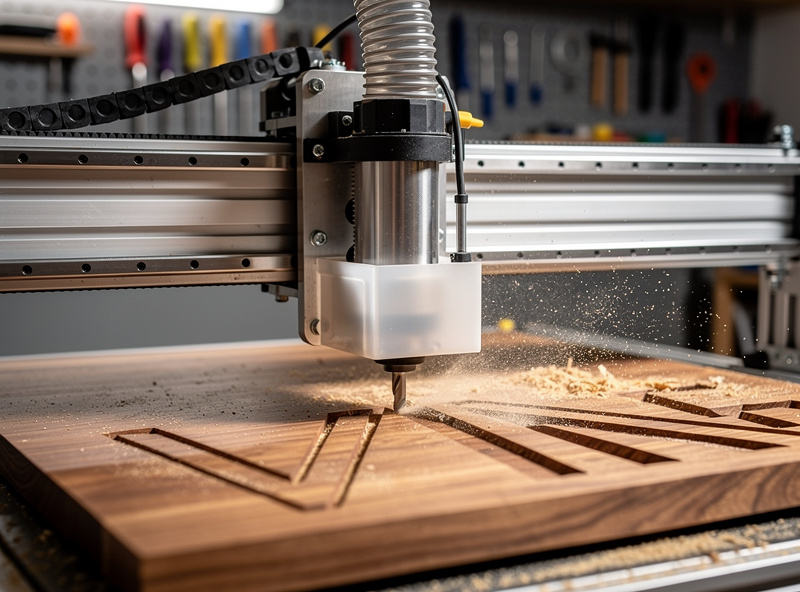
The Onefinity Foreman at $4,000 (Z-20) and Foreman X-50 at $4,599 (X-50 router mount for spindle upgrades) are the rigidity leaders. The all-aluminum X-axis extrusion eliminates belt stretch, the ball-screw lead screws on Y-axis prevent backlash, and the Z-axis can mount real spindles for aluminum work. For makers cutting hardwood, occasional aluminum, or running production volume, Onefinity rigidity is the differentiator.
The catch: Onefinity ships with no built-in CAM software. You provide CAM (VCarve, Fusion 360, Carveco) and run G-code via Buildbotics or Masso controllers. Less polished than Shapeoko’s all-in-one ecosystem but more flexible for advanced users. See our Onefinity vs Shapeoko deep-dive comparison for the full breakdown.
Sienci LongMill MK2: Best Kit Value
The Sienci LongMill MK2 at $1,799 ($1,499 for the 30-inch model) is a Canadian-made kit CNC with strong community support. 8-12 hours assembly time, mid-tier rigidity (better than Genmitsu, less than Onefinity), and full GRBL compatibility. Sienci ships with their proprietary GSender control software (free) but works with any GRBL-based controller and CAM software.
The LongMill MK2 is the right pick for budget-constrained makers who want serious capability. Hardwood up to 19mm, MDF, plywood, foam — all handle well. Aluminum is challenging at default speeds; conservative feeds-and-speeds make it possible. For dedicated aluminum work, the Onefinity Foreman is the upgrade target. See our Sienci LongMill MK2 review for details.
Genmitsu 3018: Cheapest Competent
The Genmitsu 3018-PROVer V2 at $399 is the cheapest legitimate desktop CNC in 2026. 300 × 180mm work area, 200W spindle, GRBL controller. It cannot cut hardwood beyond 8-10mm depth, cannot machine aluminum effectively, and the small work area limits projects to small signs or jewelry. But for $399, it teaches you CNC fundamentals and produces real cuts. Check current price on Amazon →
For apartment makers, jewelry artisans, and PCB engravers, the Genmitsu 3018 is the right tool. For anyone planning to cut large signs, hardwood furniture parts, or aluminum, skip the 3018 and budget for the Sienci LongMill MK2 minimum. See our Genmitsu 3018 review for what it can and cannot do.

CNC for Aluminum: A Different Conversation
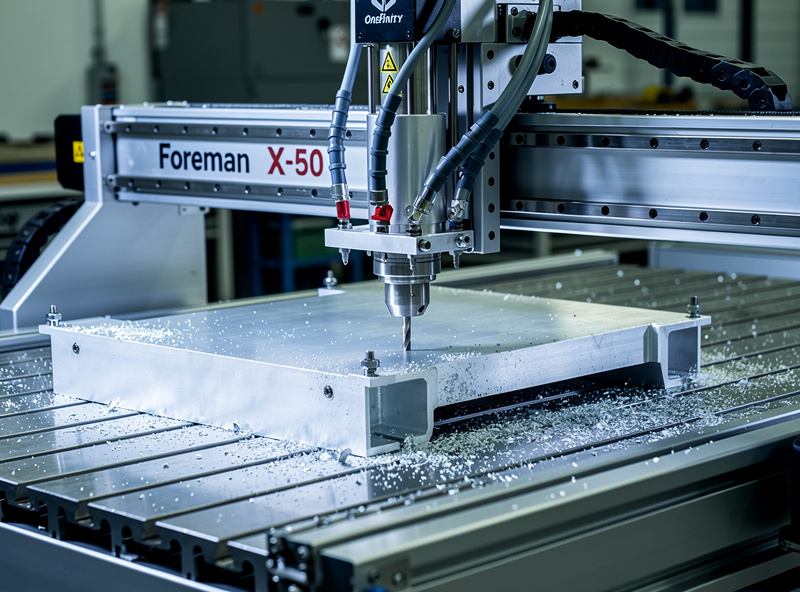
Aluminum machining demands more rigidity than any wood-focused CNC. The Onefinity Foreman X-50 at $4,599 is the entry point for serious aluminum work — ball-screw drive, X-50 router mount, and chip-clearing capacity. Pocketing 6061-T6 aluminum at 1.5mm depth, 3000 RPM spindle, 800mm/min feed produces clean parts.
For dedicated aluminum work, dedicated mills (Tormach, Pocket NC, Avid CNC) outperform any wood-CNC machine. The Onefinity Foreman is the bridge — capable enough for occasional aluminum without the cost of a dedicated mill. See best desktop CNC aluminum for deep-dive on the aluminum question.
Why Rigidity Matters
CNC accuracy depends on rigidity, not on motor power or controller smarts. A flexing gantry produces chatter (visible ripples on cut faces), inconsistent depth-of-cut, and broken end mills on harder materials. The rigidity hierarchy: Avid CNC Benchtop Pro (industrial) → Onefinity Foreman → Shapeoko 5 Pro → Sienci LongMill MK2 → Genmitsu 3018.
For wood-only work, mid-tier rigidity is sufficient. For mixed wood + aluminum, top-tier rigidity is required. For aluminum-primary, dedicated mills outperform any “desktop CNC” machine. Match the tool to the materials, not to your maximum project ambitions.
CAM Software for CNC
Every CNC requires CAM (Computer-Aided Manufacturing) software to convert designs into G-code toolpaths. The four major options: Carbide Create (free, ships with Shapeoko, basic 2D + 2.5D), VCarve Desktop ($349, mid-tier 2D + 3D), Fusion 360 ($545/year or free for hobbyists, full 3D CAM), and Carveco Maker ($30/month, 2D + 3D simplified).
For first-time CNC buyers, start with Carbide Create or VCarve Desktop. Move to Fusion 360 when you need 3D toolpath complexity. See our full software comparison in best CNC CAM software and the Fusion 360 for hobby CNC deep-dive.
Dust Collection: Mandatory
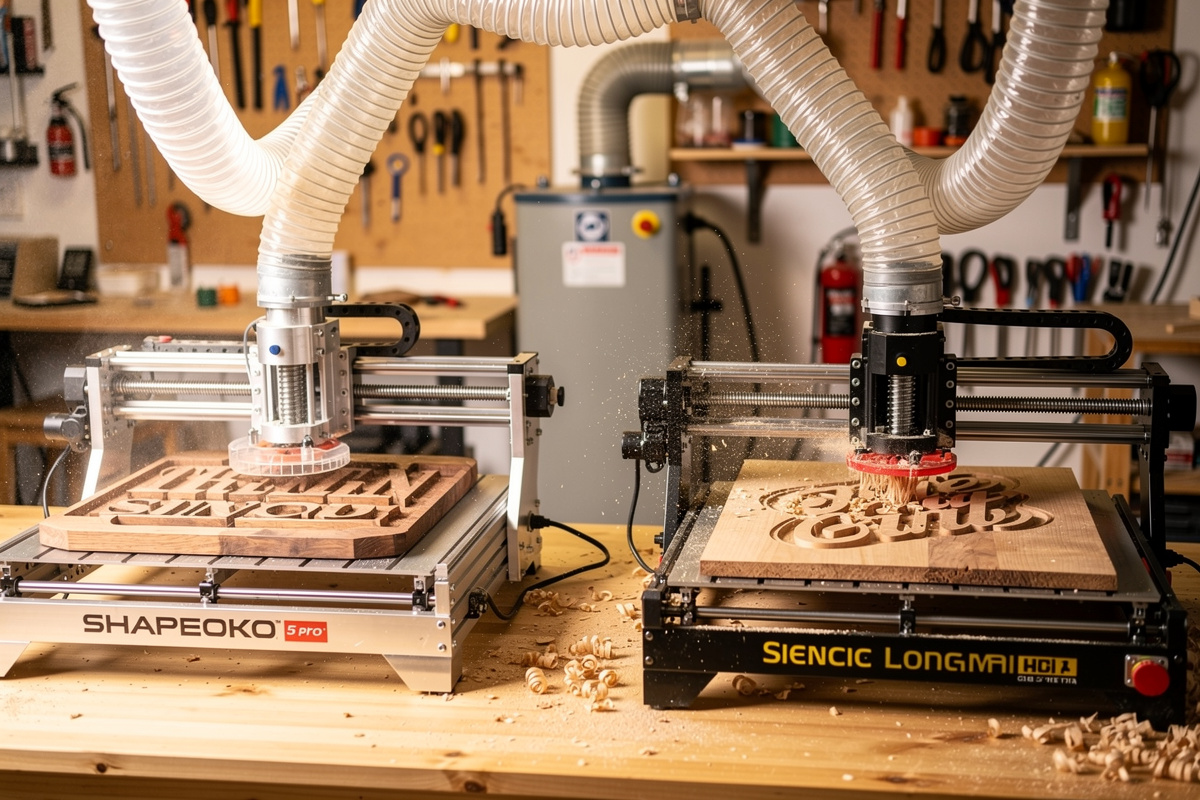
CNC routers produce massive volumes of dust — 10-20× more than table saws on the same materials. Without dust collection: the workshop becomes uninhabitable in 30 minutes, the spindle bearings wear out in 200 hours instead of 2,000, and you risk respiratory issues from MDF or hardwood dust exposure.
The minimum: shop vac with HEPA filter ($150-300) and dust shoe attached to the CNC ($100-200). The better solution: a 2HP dust collector plumbed via 4-inch PVC ducting to a dust shoe. For production volume, dust collection is non-negotiable. Setup considerations are in our adjacent CNC workflow guides.
Cutting Speed Reality
Desktop CNCs are slower than industrial CNCs by 5-10× on the same materials. A Shapeoko 5 Pro pocket-cuts hardwood at 800-1200mm/min feed; an industrial CNC at 4000-8000mm/min. For hobbyist projects, the speed is acceptable. For production businesses, the throughput limits matter — a sign that takes 3 hours on Shapeoko takes 25 minutes on an Avid CNC Benchtop Pro at 4× the price.
Most makers underestimate how long CNC projects take. A typical V-carved sign (12 × 18 inch with text) on a Shapeoko 5 Pro takes 45-90 minutes; the same on a Genmitsu 3018 takes 2-3 hours. Plan project timelines accordingly. Read more in V-Carve toolpath tutorial.
CNC for Business Use
Custom signage business: Shapeoko 5 Pro 4×4 at $2,650 plus Carbide Create. Cuts sign blanks in 30-90 minutes each, retails at $40-200. Margin per sign $20-150 minus dust collection setup cost amortized. At 5-10 signs per week, the CNC pays back in 2-6 months.
Cabinet/furniture work: Onefinity Foreman or Shapeoko 5 Pro 4×4. Cabinet face-frame parts, custom drawers, MDF templates all CNC well. Margins are higher than signage but volume is lower.
Knife/jewelry handle work: Onefinity Foreman X-50 with spindle upgrade. Aluminum scales, wood handles, brass spacers all machine well. For comparison with adjacent tools see our broader market view.
Final Recommendations
Choosing your first desktop CNC in 2026? The Shapeoko 5 Pro 4×4 at $2,650 is the safest bet for 70% of buyers — large work area, polished software, capable rigidity for hardwood. For dedicated aluminum work, Onefinity Foreman X-50 ($4,599). For kit-build value, Sienci LongMill MK2 ($1,799). For absolute budget, Genmitsu 3018 ($399).
Each spoke goes deeper. Read the relevant article: the Shapeoko 5 Pro review, the Onefinity vs Shapeoko, the Sienci LongMill MK2 review, the X-Carve Pro vs Shapeoko, the Genmitsu 3018 review, the best CNC under $2,000, and the best desktop CNC for aluminum. For software, see best CNC CAM software first.
Real Setup Cost Beyond the CNC
The CNC sticker price is roughly 50-65% of total startup cost. A complete production-ready Shapeoko 5 Pro 4×4 setup at $2,650 expands to: spindle upgrade ($800 for Makita-to-spindle), dust collector with 4-inch ducting ($600), CAM software license ($349 for VCarve Desktop), a starter end mill and tooling kit, workbench/torsion box ($200), workholding clamps and jigs ($150), and safety equipment including hearing protection ($50). Total: $5,099 for a workshop that produces good output.
The Onefinity Foreman setup runs $5,500-6,800 with similar accessories. The Sienci LongMill MK2 setup runs $3,200-4,200. The Genmitsu 3018 setup runs $700-1,000. Add 30-60% to any CNC sticker price for the realistic startup cost. Skipping these accessories is technically possible but produces poor output and frustrating workflow.
Learning Curve and Time Investment
CNC machining has a steeper learning curve than 3D printing or laser cutting. Expected progression: month 1 — basic 2D cuts (sign blanks, simple pockets); month 2-3 — V-carved signs, basic toolpaths, feeds and speeds adjustment; month 4-6 — 3D toolpaths, multi-tool projects, production efficiency; month 6-12 — advanced techniques (inlay, two-sided machining, aluminum work). Plan to invest 50-100 hours in learning before producing professional-quality output.
Resources that accelerate learning: Carbide 3D’s Carbide Create tutorials (free, official), Vectric VCarve tutorials (paid course $99-199), Saunders Machine Works on YouTube (industrial perspective), and the FoxAlien/Sienci/Onefinity Facebook communities. Active community participation is genuinely useful — most CNC questions have been answered before. See our V-carve toolpath tutorial for the basics.
CNC vs 3D Printing vs Laser
For most makers, CNC, 3D printing, and laser cutting are complementary tools, not competing options. CNC excels at: large flat work (signs, panels, furniture parts), 2.5D and 3D wood carving, occasional aluminum and brass work. 3D printing excels at: complex internal geometries, prototypes, functional parts. Laser cutting excels at: thin sheet material (acrylic, leather, paper), production speed on flat work.
A complete maker workshop typically owns all three over time. The optimal sequence: laser first (cheapest, easiest learning curve), 3D printer second (broad capability), CNC third (highest learning investment, biggest projects). For first-tool buyers, CNC is the wrong choice unless you specifically know you want to carve wood signs, build furniture, or do precision metal work.
Resale Value and Long-Term Investment
Shapeoko 5 Pro retains 70-80% of MSRP at 2 years used — Carbide 3D ecosystem and parts availability keep demand high. Onefinity machines retain 75-85% — Onefinity has stable production and rabid community. Sienci LongMill MK2 retains 60-70% used. Genmitsu 3018 retains 30-45% used (massive production, easy to buy new at low prices).
For buyers planning to upgrade in 2-4 years, premium machines hold value better. Buying a Shapeoko 5 Pro at $2,650, using it 3 years, and selling for $1,800 net costs $850 over 3 years — comparable to depreciation on cars. Buying a $399 Genmitsu, using 2 years, selling for $150 net costs $250 over 2 years. Per-month cost of ownership is similar across tiers; choose based on capability needed, not perceived “savings” of cheaper machines.
Trim Router vs Spindle: The Big Upgrade
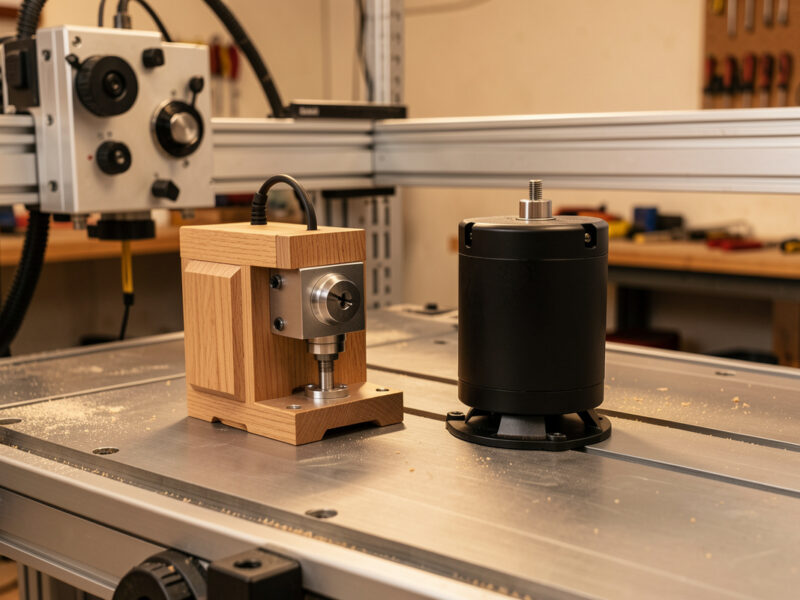
Most desktop CNCs ship with a trim router (Makita RT0701C, DeWalt DWP611) — fine for hardwood and MDF but limited on aluminum. The upgrade path is to replace the router with a true spindle: water-cooled or air-cooled spindles run quieter, last longer, allow electronic speed control via the CNC controller, and produce better surface finishes on harder materials.
Common spindle upgrades: an 80mm 1.5kW air-cooled spindle, an 80mm 2.2kW water-cooled unit, or the Mafell GTM-220. I run an air-cooled VFD spindle on my Shapeoko with a water-cooled unit on the bench beside it; the jump from a trim router to either one is the single biggest finish-and-noise upgrade I have made. The water-cooled spindles are the gold standard — quieter (52-58 dB vs 80-85 dB for trim routers), longer-lived (5,000+ hours bearing life), and electronic speed control integrated with G-code. For aluminum work, water-cooled spindle is essentially mandatory.
Spindle upgrades require: a VFD (variable frequency drive), a water cooling pump and reservoir for water-cooled units, 80mm router mount (most CNCs ship with 65mm — adapter required), and electrical wiring for VFD control. Plan $700-1,200 for a complete spindle upgrade. Read more in our adjacent CNC upgrade guides.
Workholding: Make or Break
Workholding is how you secure stock to the CNC bed during cutting. Bad workholding causes parts to shift mid-cut, breaks end mills, and ruins material. Common methods: T-track and clamps (most flexible), painter’s tape plus CA glue (cheapest, single-use), vacuum table (best for production), screws into the spoilboard (basic but effective).
For first-time CNC owners, invest in a low-profile clamping kit that doesn’t interfere with the gantry. Add T-tracks to your spoilboard for repeatable workholding positions. For production, a vacuum table ($300-800) eliminates clamping time entirely — drop stock on the bed, hit print, parts hold.
Frequently Asked Questions
What is the best desktop CNC in 2026?
For most buyers, the Shapeoko 5 Pro 4×4 at $2,650 is the best desktop CNC in 2026. Large work area, polished Carbide 3D software ecosystem, capable rigidity for hardwood and occasional aluminum. The Onefinity Foreman X-50 at $4,599 is the upgrade for serious aluminum work.
Can a desktop CNC cut aluminum?
Yes, with the right machine. The Onefinity Foreman X-50 ($4,599) handles aluminum reliably with conservative feeds-and-speeds. Shapeoko 5 Pro can cut aluminum at light depths. Genmitsu 3018 cannot machine aluminum effectively. For dedicated aluminum work, dedicated mills (Tormach, Pocket NC) outperform desktop CNCs.
Is the Genmitsu 3018 worth $399?
Yes, for absolute beginners or apartment makers. The 3018 cannot cut hardwood beyond 8-10mm depth, cannot machine aluminum effectively, and has only 300 × 180mm work area. But for $399 it teaches CNC fundamentals and produces real cuts on small projects, jewelry, and PCB engraving.
Should I buy the Shapeoko 5 Pro or Onefinity?
Shapeoko 5 Pro for polished workflow and ecosystem (Carbide Create included). Onefinity Foreman for higher rigidity and aluminum capability. Shapeoko is easier to start with; Onefinity is more capable for advanced work. The $1,400 price difference reflects the rigidity and capability gap.
How long does a CNC project take?
Highly variable. A V-carved sign (12 × 18 inch with text) takes 45-90 minutes on a Shapeoko 5 Pro. A 24 × 36 inch furniture panel takes 3-6 hours. Aluminum bracket pocketing takes 30-60 minutes. Desktop CNCs are 5-10x slower than industrial — plan project timelines accordingly.
Do I need dust collection for a CNC?
Yes, mandatory. CNC routers produce 10-20x more dust than table saws. Without dust collection: workshop becomes uninhabitable in 30 minutes, spindle bearings wear out fast, and respiratory exposure to MDF/hardwood dust. Minimum is shop vac plus dust shoe ($250-500); better is 2HP dust collector with 4-inch ducting ($600-1,000).
What CAM software should I use for CNC?
Start with Carbide Create (free, ships with Shapeoko) or VCarve Desktop ($349). Move to Fusion 360 ($545/year or free for hobbyists) when you need 3D toolpath complexity. Each major CNC ships with or supports specific software — match your CAM choice to your machine and skill level.