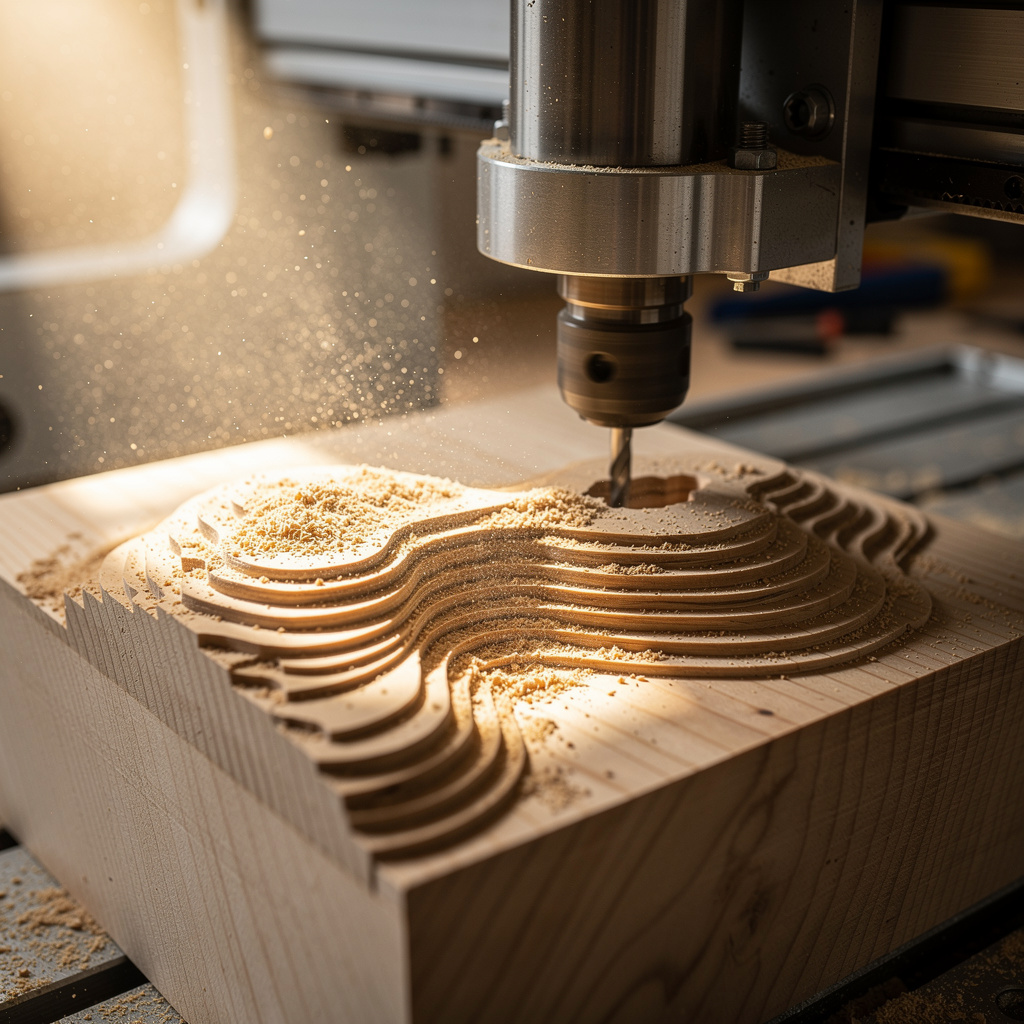
Safety first. The following information is for educational purposes. CNC machining involves high-speed rotating cutters. Always wear eye and ear protection, never leave a running machine unattended, and verify all feeds and speeds for your specific setup.
What Is CNC and Why Does It Matter?
Computer Numerical Control (CNC) machining represents the bridge between digital design and physical manufacturing. Unlike 3D printing which builds objects layer by layer through additive processes, CNC machining removes material from a solid workpiece through subtractive manufacturing. A CNC machine reads digital instructions—called G-code—and moves cutting tools along precise paths to carve, mill, drill, or engrave materials into finished parts.
The significance of desktop CNC extends far beyond hobbyist curiosity. For small businesses, CNC enables prototyping and short-run production without the massive capital investment of industrial machining centers. For makers and engineers, it provides capabilities that 3D printing cannot match: machining metals, creating precise fits and tolerances, and producing parts with isotropic strength that holds up under real mechanical stress. Understanding CNC fundamentals positions you to manufacture functional parts, custom tools, and precision components that additive manufacturing simply cannot achieve.
However, the CNC learning curve is steeper than 3D printing. The machines are more dangerous, the software workflow more complex, and the consequences of errors more severe. This guide provides the foundational understanding necessary to approach desktop CNC with realistic expectations and safety awareness. By the end, you will understand what desktop CNC machines can and cannot do, which technology fits your needs, and whether this manufacturing method belongs in your workshop.
A quick note: a few links below are affiliate links — buy through one and I may earn a small commission at no extra cost to you. I only point to gear I would actually run or wear in my own shop. Details on my disclaimer page.
CNC Router vs CNC Mill vs Laser: Understanding the Categories
The term “CNC” encompasses multiple technologies with vastly different capabilities, price points, and applications. Understanding these distinctions prevents expensive mistakes and mismatched expectations.
CNC Routers: Speed and Soft Materials
CNC routers dominate the desktop market, optimized for high-speed cutting of wood, plastics, foam, and soft aluminum. These machines feature high-RPM spindles (typically 10,000-24,000 RPM) designed for large-diameter tools moving quickly through softer materials. The mechanical design emphasizes speed over rigidity, with gantry-style frames that sacrifice absolute precision for rapid material removal.
Desktop CNC routers typically offer work areas from 300x300mm to 1000x1000mm, making them suitable for furniture components, signage, art pieces, and large flat parts. Common examples include the Shapeoko, X-Carve, Onefinity, and various Chinese 3018 and 6040 machines. Prices range from $300 for entry-level 3018 machines to $3,000+ for professional-grade desktop routers.
The router approach excels at profile cutting, pocketing operations, and 2.5D carving where depth varies but undercuts are not required. Hardwoods, plywood, MDF, plastics, and thin aluminum cut beautifully. However, attempting to machine steel, titanium, or even hard aluminum alloys on these machines leads to tool breakage, poor surface finish, and potential machine damage due to insufficient rigidity and torque.
CNC Mills: Precision and Hard Materials
CNC mills prioritize rigidity, precision, and torque over speed. These machines feature much heavier construction with cast iron or steel frames, ball screw drives instead of belts, and lower-RPM high-torque spindles designed for cutting steel, stainless steel, and hard alloys. The increased rigidity reduces vibration and chatter, enabling precision metal machining impossible with lighter router designs.
Desktop CNC mills like the Tormach 770, PM-25MV conversions, and various benchtop mill CNC kits offer work areas typically 200-400mm in X and Y with 100-200mm Z travel. Spindles run at 1,000-6,000 RPM with significantly higher torque than router spindles. The machines weigh 100-400kg versus 20-50kg for desktop routers, reflecting their structural requirements for metal cutting.
The trade-off is speed and work area. Mills cut slower but with better precision and surface finish. They handle steel, stainless, titanium, and hardened materials that destroy router tooling. For mechanical prototyping, tool making, and precision metal parts, mills are essential. For woodworking and large parts, they are overkill.
CNC Laser Engravers: Non-Contact Cutting
Laser CNC machines use focused light beams rather than physical cutting tools. CO2 lasers (40-150W typical) cut and engrave wood, plastics, leather, and thin metals. Fiber lasers handle marking and cutting metals. Diode lasers (5-40W) provide low-cost entry points for engraving and thin material cutting.
Lasers excel at intricate engraving, cutting thin materials without mechanical force, and producing finished aesthetics without tooling marks. However, they cannot create 3D features, machine hard materials deeply, or achieve the precision fits possible with milling. Most serious makers eventually own both CNC routers/mills for 3D features and lasers for detail work. That is exactly how my own shop ended up: the CNC, the laser, the welder, and the 3D printer all earn their bench space because they answer different questions — route it when it has to hold load, laser it when the edge is the point, print it when the geometry is the point.
Desktop CNC Capabilities: What You Can Actually Make
Understanding realistic capabilities prevents disappointment. Desktop CNC machines can produce remarkable parts, but they have limitations that industrial machines do not.
Materials Desktop CNC Can Machine
Wood and Wood Products: All desktop CNC machines handle hardwoods, softwoods, plywood, MDF, and engineered wood products beautifully. This is the bread and butter of desktop CNC—signs, furniture parts, jigs, fixtures, and decorative items. Woods machine predictably, produce acceptable surface finishes, and do not overload machine structures.
Plastics: Acrylic, polycarbonate, nylon, Delrin (acetal), and various engineering plastics cut well on desktop machines. Plastics produce chips rather than dust (unlike woodworking), and many machine almost like butter with proper tooling. However, some plastics (particularly acrylic) are prone to melting and chip welding if speeds and feeds are incorrect.
Soft Metals: Aluminum and brass are within reach of capable desktop CNC routers with proper tooling and reduced feeds/speeds. Copper machines similarly. These metals require sharp carbide tools, appropriate chip loads, and patience. Harder aluminum alloys (7075, 2024) challenge desktop machines but are possible with care.
Hard Metals (Mills Only): Steel, stainless steel, and titanium require CNC mills, not routers. These materials demand rigid machines, appropriate tooling, and conservative cutting parameters. Desktop mills can handle small steel parts, tool making, and prototypes but not production runs efficiently.
Geometric Capabilities and Limitations
CNC machines operate in three primary axes: X (left-right), Y (front-back), and Z (up-down). Most desktop machines are 3-axis machines, meaning the tool moves in these three directions but does not tilt or rotate relative to the workpiece. This constrains possible geometries.
Undercuts—features that curve back underneath other material—require 4-axis or 5-axis machines that can tilt the tool or workpiece. Desktop 3-axis machines cannot machine true undercuts, though creative workholding and multiple setups can achieve some complex geometries by repositioning the workpiece between operations.
Internal corners on CNC parts have radii equal to the tool radius. A 6mm end mill cannot cut a perfect internal square corner—it leaves a 3mm radius. This affects part design and assembly considerations. T-slots, dovetails, and other joinery must account for tool geometry.
Software Workflow: From Idea to G-Code
The CNC workflow is more complex than 3D printing’s slicer-based approach. Three distinct software categories combine to create machine instructions.
CAD: Creating Digital Models
Computer-Aided Design software creates the 3D models or 2D drawings defining part geometry. Options range from free to professional. Fusion 360 (free for hobbyists) provides parametric modeling ideal for mechanical parts. FreeCAD offers open-source parametric CAD without licensing limitations. Blender works for artistic organic shapes. Tinkercad provides basic 3D modeling for simple parts.
For 2D work like signs and profile cuts, vector graphics software suffices. Inkscape (free) and Adobe Illustrator create SVG files that CAM software converts to toolpaths. Many CNC projects require only 2D designs, simplifying the workflow significantly.
CAM: Generating Toolpaths
Computer-Aided Manufacturing software transforms CAD models into G-code instructions the machine follows. CAM defines which tools to use, how fast to move, how deep to cut, and what cutting strategies to employ. This is where CNC complexity emerges—proper CAM requires understanding tooling, materials, and machining strategies.
Fusion 360 integrates CAD and CAM, making it popular for CNC work. Its CAM module generates sophisticated toolpaths including adaptive clearing, 2D contouring, drilling, and 3D surfacing. Free alternatives like FreeCAD’s Path workbench, BlenderCAM, and various online G-code generators provide entry points.
Simple 2D jobs may use “conversational CAM” where you enter dimensions and operations directly without full CAD models. Many machine controllers include conversational programming for quick jobs.
Machine Control: Reading G-Code
The final software component reads G-code and moves the machine. Grbl (running on Arduino-based controllers) dominates the low-cost desktop market. It interprets G-code through USB from a computer or SD card. LinuxCNC and Mach3/Mach4 run on PCs with dedicated controller boards, offering more features and better performance. Industrial machines use proprietary controllers like Fanuc, Haas, or Siemens.
Sender software (CNCjs, Universal G-Code Sender, bCNC) streams G-code to Grbl-based machines. These provide real-time control, visualization, and job management. For dedicated controllers, the machine interface itself provides job management.
The Learning Curve: What to Expect
Desktop CNC requires more learning time than 3D printing. Plan for a multi-week learning period before producing reliable parts. The complexity emerges from multiple interacting systems: machine mechanics, tooling selection, material properties, CAM parameters, and G-code interpretation all affect outcomes.
Timeline Expectations
Week 1-2: Machine assembly, calibration, and basic operation. Learning to home the machine, jog axes, load tools, and set work coordinate systems. Initial test cuts in soft materials to verify functionality. Expect frustration, adjustments, and discovery of machine quirks.
Week 3-4: CAM fundamentals. Learning to generate toolpaths, understanding feeds and speeds basics, and producing simple parts. Many broken tools and failed cuts occur here as theory meets practice. Material behavior surprises—woods cut differently than expected, plastics melt, aluminum work-hardens.
Month 2-3: Developing intuition. Recognizing chatter sounds, understanding when feeds are too aggressive, learning workholding tricks. Producing consistent results in familiar materials. Exploring advanced CAM strategies.
Month 4+: Proficiency. Reliable part production, confidence with new materials, troubleshooting skills, and workflow optimization. The machine becomes a tool rather than a project.
Safety: Non-Negotiable Priorities
CNC machines are dangerous power tools capable of serious injury. Unlike 3D printers with heated components, CNC machines spin sharp cutters at high speeds with enough force to grab workpieces, break tools explosively, and cause catastrophic failures. I have had a bit let go at 18,000 RPM, and what saved the moment was boring discipline: glasses on, hands clear of the envelope, e-stop in reach. Treat the machine like it will bite, because eventually it tries.
Critical Safety Rules
Eye Protection: Always wear safety glasses. Chips fly at high velocity. Tool breakage sends shrapnel. Never operate without eye protection.
Hearing Protection: CNC machines are loud—85-100 decibels continuously during operation. Hearing damage accumulates over time. Wear earplugs or earmuffs during jobs.
Never Leave Running Machines Unattended: Fires, tool breakage, workpiece release, and machine crashes can escalate rapidly. Stay within sight and earshot of active machines.
Secure Workholding: A loose workpiece becomes a dangerous projectile. Verify clamps, vises, or adhesive holding before starting cuts. Check periodically during long jobs.
Hair and Jewelry: Tie back long hair, remove loose clothing, and take off jewelry that could catch in spinning spindles or moving gantries.
Dust and Chip Management: Wood dust is a carcinogen. Metal chips are sharp and hot. Implement dust collection for woodworking, chip shields for metalworking, and never blow chips away with compressed air (drives them into skin and eyes).
Investment Reality: Total Cost of Ownership
Budget considerations extend far beyond the machine purchase. A complete desktop CNC setup requires multiple cost categories.
Machine and Controller
Entry-level 3018-style machines: $200-400 (limited capability, hobby-grade)
Mid-range desktop routers: $1,000-2,500 (Shapeoko, X-Carve, etc.)
Professional desktop routers: $3,000-6,000 (Onefinity, Stepcraft, etc.)
Desktop CNC mills: $5,000-15,000+ (Tormach, benchtop conversions)
Essential Accessories
Tooling and cutters: a starter set runs a few hundred dollars, with ongoing replacement costs
Workholding (clamps, vises, fixture plates): $100-300
Dust collection or chip management: $100-500
Computer for CAD/CAM (if not already owned): $500+
Safety equipment (glasses, hearing protection, dust masks): $50-100
Ongoing Costs
Tool replacement: $20-100 monthly depending on usage
Material stock: varies by project
Electricity: minimal
Maintenance: occasional bearing replacement, belt changes, lubrication
Is Desktop CNC Right for You?
Desktop CNC offers remarkable capabilities but demands commitment. Consider these questions honestly:
Do you enjoy complex technical challenges? CNC provides endless learning but frustrates those seeking simple results. The workflow complexity exceeds 3D printing significantly.
Can you invest the learning time? Months of practice separate beginners from competent operators. Without time investment, the machine gathers dust.
Do your projects require CNC capabilities? If you primarily print decorative items, 3D printing may serve you better. If you need metal parts, precise fits, or wood joinery, CNC provides unique value.
Do you have appropriate workspace? CNC machines need stable, level surfaces, dust collection capability, and enough space for material handling and chip containment.
Are you safety-conscious? CNC machines injure careless operators. Respect for the tool and attention to safety protocols are mandatory.
Next Steps in Your CNC Journey
With foundational understanding established, the next article guides machine selection. Rather than recommending specific models, we provide a decision framework covering work area needs, spindle requirements, rigidity considerations, and controller options. You will learn to evaluate machines based on your specific applications rather than marketing claims.
The series continues with tooling fundamentals, the complete workflow from CAD to finished part, workholding strategies, safety setup, beginner projects, and troubleshooting. Each article builds on this foundation, developing the knowledge and skills necessary for confident CNC operation.
Desktop CNC represents genuine manufacturing capability accessible to individuals. The learning curve is steep but surmountable. The results justify the effort for those who need the capabilities only subtractive manufacturing can provide. You now understand the fundamentals; the journey to mastery begins with machine selection and continues through hands-on experience.
Continue Your CNC Journey
Ready to select your first CNC machine? Read How to Choose a Desktop CNC Machine for a comprehensive decision framework covering work area, spindle power, and rigidity requirements.