
Safety first. The following information is for educational purposes. CNC machining involves high-speed rotating cutters. Always wear eye and ear protection, never leave a running machine unattended, and verify all feeds and speeds for your specific setup.
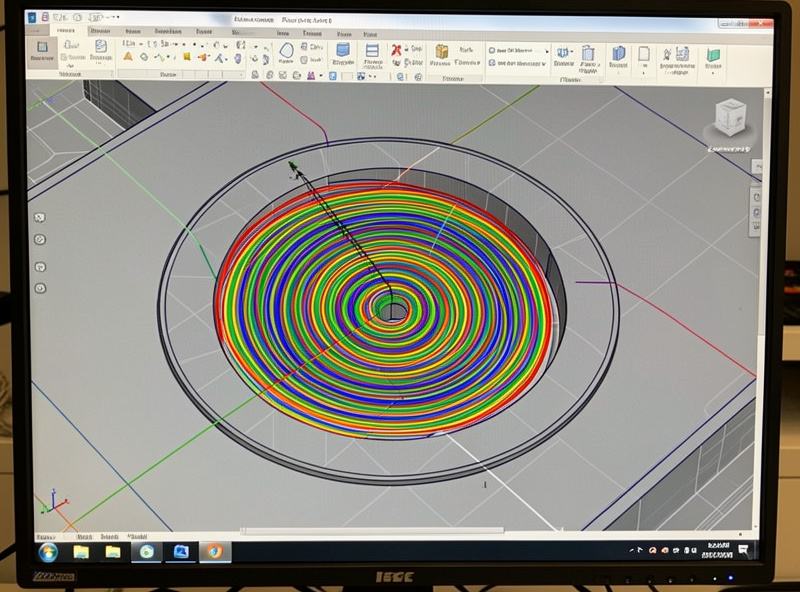
Adaptive clearing — also called trochoidal milling, HSM, or vortex depending on your CAM — is a roughing strategy that holds tool engagement constant by pairing a small radial step-over — often just 10 to 25 percent of the tool diameter — with a deep axial depth, moving the cutter in controlled arcs. The payoff is real: deeper, faster cuts with less heat and dramatically longer tool life, because the cutter never sees the engagement spike that snaps bits in a corner. On the hobby machines I run, switching to adaptive is the single biggest jump in roughing capability you can make without touching the hardware.
The reason it works is load management. Conventional pocketing keeps a fixed step-over but engagement balloons whenever the tool enters a corner or a slot, sometimes wrapping past 180 degrees. Adaptive watches that engagement and arcs the toolpath to keep it under a set limit, so the cutter is always taking the same bite. This is a core strategy in the CAM toolpath mastery hub, and the natural partner to the roughing vs finishing split.
What “Constant Engagement” Actually Means
Tool engagement is the angle of the cutter that is buried in material at any instant. A slot cut buries 180 degrees of the tool; a light finishing pass might bury 10. The problem with that variation is that cutting force, heat, and deflection all rise and fall with engagement — and the spikes are what break tools. Adaptive clearing targets a fixed “optimal load,” typically expressed as a maximum step-over of 10 to 25 percent of tool diameter, and never lets the cut exceed it.
Because the radial bite is small and constant, you can drive the axial depth deep — one to three times the tool diameter is normal — and use the entire flute length instead of wearing a groove at the tip. That spreads heat and wear along the cutter, which is why adaptive tools last so much longer. It also means a cheap 1/4 inch single-flute can clear stock a conventional pass could only dream of, because the limit is no longer the corner spike.
The Settings I Run
For wood and plywood I run an optimal load (step-over) of about 15 percent of diameter with an axial depth of one to two diameters. For 6061 aluminum I tighten the step-over to 8 to 12 percent, keep the axial depth around one diameter, and push the feedrate up to keep the chip thick enough to carry heat away. The counterintuitive part for newcomers: in aluminum you go faster, not slower, because a thin chip from a slow feed welds to the flute and recuts, which is what wrecks tools and finish.
Spindle RPM follows the material’s surface speed, and feedrate follows chipload — adaptive does not change that math, it just lets you sustain it. My aluminum routine is single-flute or two-flute, air blast or mist to clear chips, shallow-but-deep adaptive, and a feed that keeps chips coming off bright and curled, not gray and dusty. The full aluminum walkthrough is in the CNC aluminum feeds and speeds guide, and the per-material starting points are in the feeds and speeds chart.
Adaptive vs Conventional Pocketing
| Factor | Adaptive / Trochoidal | Conventional Pocket |
|---|---|---|
| Radial step-over | 8-25% of diameter | 40-50% of diameter |
| Axial depth | 1-3x diameter (deep) | Fraction of diameter |
| Corner engagement | Held constant | Spikes past 180° |
| Tool life | Long (full flute used) | Short (tip wears) |
| Heat in aluminum | Low, carried by chip | High, chip welding risk |
| Toolpath length | Longer (more moves) | Shorter |
| Best for | Deep pockets, slots, metal | Shallow pockets in wood |
When Adaptive Is Worth It and When It Is Not
Adaptive shines on deep pockets, slots, hard materials, and anywhere a corner would otherwise spike the load. It is the only sane way I rough aluminum on a hobby machine. Where it earns less: very shallow pockets in soft wood, where a quick conventional pass is faster because the adaptive path travels so much extra distance. The trade is always cut time versus tool stress — adaptive’s looping path is longer in total travel, so for a 2 mm deep pocket in pine the math can favor the simpler strategy.
The other consideration is your controller. Adaptive generates thousands of short arc moves, and a slow or under-buffered controller can stutter (“data starvation”) trying to keep up, which actually hurts finish. GRBL on a decent sender handles it fine for most jobs, but it is worth knowing the limit exists — more on that in the control software guide. A good single-flute or two-flute end mill matters here too; you can find a single-flute carbide end mill on Amazon. As an Amazon Associate I earn from qualifying purchases.
After Adaptive: Clean Up the Corners
Adaptive clearing leaves rounded internal corners — the radius of your roughing tool — and an even allowance everywhere else. That even allowance is exactly what the finishing pass wants. The rounded corners get cleaned up by rest machining with a smaller tool, which only visits the leftover material instead of recutting the whole pocket. Pairing adaptive roughing with rest machining is the fastest, safest way to clear a complex pocket on a hobby machine; the sequencing is detailed in the rest machining guide and the tool choices in the end mills guide.
The Aluminum Job That Taught Me to Speed Up
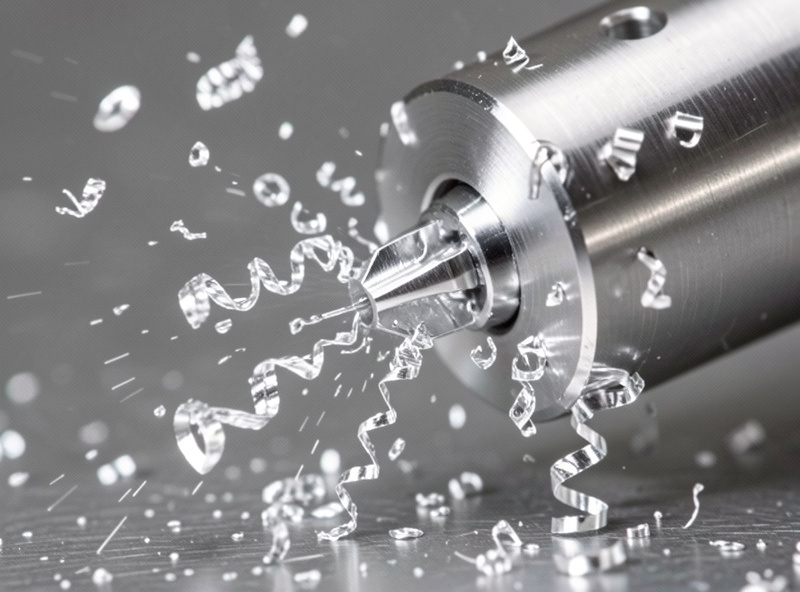
The first time I roughed a 6061 bracket on the Shapeoko Pro I did exactly what instinct says: I slowed everything down to be gentle. Small step-over, shallow depth, and a feed crawled back to half of what the chipload called for. Within two minutes the cut went from a clean hiss to a grinding shriek, the single-flute packed full of gray welded aluminum, and the bit was cooked — the flutes glazed over and would not cut clean again.
The fix was the opposite of instinct. I held the adaptive step-over at about 10 percent, dropped the depth to one diameter, and roughly doubled the feed so each pass took a real bite — a chipload up around 0.05 mm per tooth instead of the timid 0.02 I had been using. The chips came off bright and curled, carried the heat away with them, and the next bracket finished without a single weld. The lesson stuck: in aluminum, a thin chip is what kills the tool, not a thick one.
I also learned to listen. A healthy adaptive cut in metal has a steady, even tone — almost a controlled buzz. The moment it turns to an irregular chatter or a high screech, something is wrong: the feed dropped, the chips are not clearing, or the step-over crept too high in a corner the CAM did not arc cleanly. On my spoilboard I would rather pause and check than push through a sound I do not like, because the cost of a snapped carbide bit and a re-zero dwarfs the few seconds of looking. That habit has saved more bits than any single setting in the CAM.
Frequently Asked Questions
Is adaptive clearing the same as trochoidal milling?
Effectively yes. Adaptive clearing, trochoidal milling, HSM, and vortex are different names for the same core idea: holding tool engagement constant with a small radial step-over and deep axial depth, moving in arcs. The names vary by CAM package but the physics and the settings logic are identical.
Why does adaptive clearing let me cut deeper?
Because the radial bite is small and constant, the cutting force stays low even when the axial depth is deep. That lets you use the full flute length, typically one to three times the tool diameter, instead of wearing a groove at the tip. The deep-but-narrow cut keeps force manageable on a flexy hobby gantry.
What step-over should I use for adaptive clearing?
Use 15 percent of tool diameter for wood and plywood, and tighten to 8 to 12 percent for 6061 aluminum. Pair that with an axial depth of roughly one to two diameters. The exact number depends on your machine’s rigidity, so start conservative and increase once the cut sounds and looks steady.
Can a hobby CNC really cut aluminum with adaptive clearing?
Yes. Adaptive clearing is the standard way to rough aluminum on a desktop machine. Use a single or two-flute cutter, a small step-over, a deep-ish axial pass, air or mist to clear chips, and a feed fast enough to keep chips bright and curled rather than gray dust that welds to the flute.
Does adaptive clearing take longer than conventional pocketing?
The toolpath travels farther because of the looping arcs, so for very shallow pockets in soft wood conventional can finish sooner. For deep pockets, slots, and metal, adaptive is faster overall because you remove more material per pass and rarely stop to change a broken bit.
Why are my aluminum chips gray dust instead of curls?
Gray dust means the chipload is too low, so the flute rubs and the chip welds and recuts. Increase the feedrate to thicken the chip, add air or mist to clear it, and confirm the spindle RPM matches aluminum’s surface speed. Bright curled chips that carry heat away are the goal.