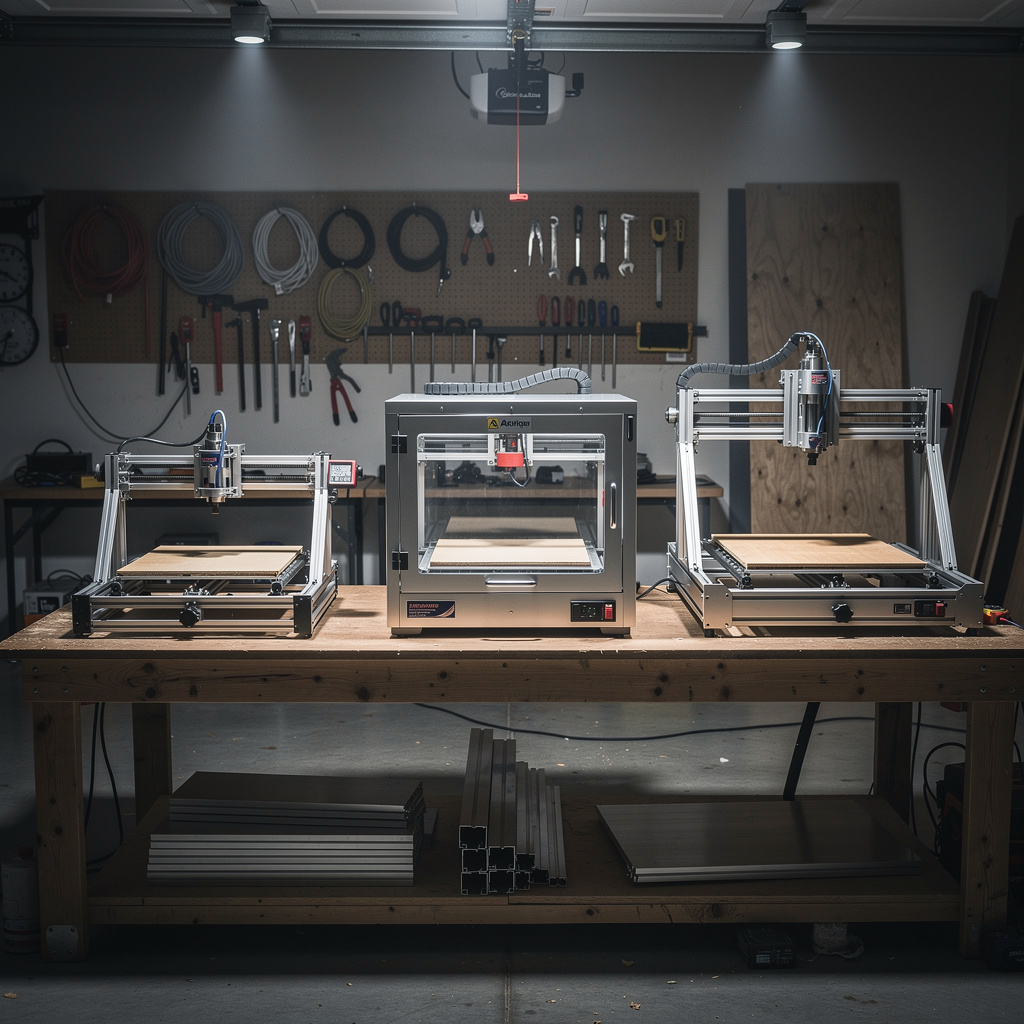
Safety first. The following information is for educational purposes. CNC machining involves high-speed rotating cutters. Always wear eye and ear protection, never leave a running machine unattended, and verify all feeds and speeds for your specific setup.
Why Most CNC Buying Guides Fail You
Search for “best desktop CNC machine” and you encounter endless lists of affiliate links masquerading as reviews. These guides assume your needs match their commission structures. A YouTuber obsessed with speed might recommend a machine that cannot handle your aluminum parts. A hobbyist who only cuts wood might suggest equipment unsuitable for your engineering prototypes. You end up with a machine that disappoints or overspending on capabilities you never use.
This article provides a decision framework rather than outdated model recommendations. You will learn which specifications matter for your applications, how to evaluate machine quality indicators that marketing obscures, and how to match capabilities to your actual requirements. By the end, you can confidently evaluate any CNC machine regardless of when you read this guide.
Step 1: Define Your Work Area Requirements
Work area—expressed as X, Y, and Z dimensions in millimeters—determines the maximum size of parts you can machine in a single setup. Unlike 3D printing where you can split large models, CNC machining multiple setups introduce alignment challenges and precision loss. Choose work area carefully.
Evaluating Your Size Needs
Measure objects you intend to create or the stock material sizes you will commonly use. Add margin for workholding, tool approach/departure, and material fixturing. A 300x300mm work area handles most small parts, electronics enclosures, and detail work. 600x600mm accommodates furniture components, larger signs, and moderate mechanical parts. 1000x1000mm+ enables full-sheet material work and large furniture pieces.
Consider whether you genuinely need large single parts or simply want to batch smaller items. A 400mm machine cutting four 150mm parts simultaneously often proves more efficient than one large part on a 1000mm machine. However, large work areas provide material handling convenience—loading full sheets or long stock without cutting to size first.
Vertical travel (Z-axis) matters for part thickness and tooling clearance. 50mm Z travel limits you to thin materials and short tools. 100-150mm accommodates thicker stock, longer tools, and fixture clearance. If you plan to machine thicker materials or use specialized tooling like fly cutters, prioritize Z travel.
Work Area Reality Check
Manufacturers often advertise maximum travel distances rather than usable work areas. The usable area is smaller due to spindle clearance at edges, end-stop locations, and safety margins. Verify usable work area in community forums and user reviews rather than trusting specifications alone. A machine claiming 400x400mm travel might provide only 380x380mm usable area after accounting for clamping and tool clearance.
Step 2: Determine Your Material Requirements
Your intended materials dictate machine requirements more than any other factor. Attempting to machine hard materials on insufficient machines destroys tools, produces poor results, and potentially damages the machine itself.
Material Capability Tiers
Wood and Plastics Only: Light-duty machines with less rigid frames, belt drives, and router-style spindles handle these materials acceptably. Spindle power of 300-500W suffices. These machines cost less but are unsuitable for metalworking. Examples: 3018-style machines, basic Shapeoko configurations, entry-level X-Carve.
Soft Metals (Aluminum, Brass): Requires increased rigidity, preferably ball screw or lead screw drives rather than belts, and spindles capable of maintaining torque at lower RPMs (aluminum cuts better at 8,000-15,000 RPM than 24,000 RPM). Minimum spindle power: 500W-1,000W. Machines in this tier cost $1,500-3,000.
Hard Metals (Steel, Stainless): Demands true CNC mill construction with cast iron or heavy steel frames, ball screws on all axes, low-RPM high-torque spindles (1,000-6,000 RPM range), and substantial mass to dampen vibration. These are not desktop routers but benchtop mills. Budget $5,000-15,000+.
The Router vs Mill Decision
CNC routers optimize for speed and soft materials with gantry designs, high-RPM spindles, and relatively light construction. They excel at woodworking, signage, and plastics but struggle with metals due to chatter and insufficient torque.
CNC mills prioritize rigidity and precision with C-frame or vertical mill designs, ball screw drives, and low-speed high-torque spindles. They machine metals beautifully but cut slower and cost more than equivalent work area routers.
Most hobbyists and small shops choose routers because their applications involve primarily wood and plastics with occasional aluminum. If your workflow demands steel, invest in a mill or accept that outsourcing steel parts is more economical than attempting them on inadequate equipment.
Step 3: Evaluate Spindle and Power Systems
The spindle—the rotating cutting tool holder—represents the heart of any CNC machine. Spindle specifications profoundly affect material capability, surface finish, and noise levels.
Spindle Types and Trade-offs
DC Brushed Motors (Entry-level): Common on 3018 machines and cheap Chinese imports. Low cost but limited power (50-300W), poor speed control, and short lifespan. Acceptable for learning and light engraving but insufficient for serious material removal.
DC Brushless Motors (Hobby-grade):** Mid-range machines use 300-1,200W brushless DC spindles. Better speed control, longer life, and reasonable power for wood and plastics. Some handle light aluminum work. Look for water-cooled variants for sustained operation.
VFD AC Spindles (Professional):** Variable Frequency Drive spindles run on 220V AC through VFD controllers, providing 1,500W-3,000W+ power with excellent speed control and longevity. The gold standard for serious desktop CNC, though they require 220V power and VFD knowledge.
Router Motors (Dewalt, Makita, etc.):** Many hobby machines adapt handheld routers as spindles. Makita RT0701C and Dewalt 611 are popular choices providing 700W-1,200W power with readily available replacement parts. Noise levels are high, and speed control is limited (usually 10,000-30,000 RPM range). Excellent cost-to-performance for woodworking.
Spindle Power Requirements by Material
Wood and plastics: 300W minimum, 500W+ recommended Aluminum: 500W minimum, 1,000W+ recommended for efficient cutting Steel: 1,000W minimum, requires true mill spindle with high torque at low RPM
Collet and Tooling Compatibility
ER-style collets (ER11, ER16, ER20) provide excellent grip and runout precision for CNC work. 1/8″ (3.175mm) collets handle small engraving tools. 1/4″ (6.35mm) collets are the standard for most end mills. Some machines include proprietary collet systems—avoid these as they limit tooling options and increase costs.
Verify your spindle accepts industry-standard collet sizes. ER11 collets grip tools up to 7mm, ER16 up to 10mm, ER20 up to 13mm. Match collet series to your anticipated tooling sizes.
Step 4: Assess Motion System Quality
How the machine moves determines precision, repeatability, and maximum cutting forces. Entry-level machines often compromise here, leading to frustration and poor results.
Drive Systems: Belts vs Lead Screws vs Ball Screws
Belt Drives: GT2 or MXL timing belts provide inexpensive, backlash-free motion. They work well for light-duty work and fast rapids but stretch under load, reducing precision and limiting cutting forces. Most hobby routers use belts on X and Y axes. Acceptable for wood and plastics; marginal for aluminum; insufficient for steel.
Lead Screws (ACME or Trapezoidal):** Convert rotary motion to linear movement with mechanical advantage. More rigid than belts but introduce backlash and have lower efficiency. Common on Z-axes and budget machines. Workable for hobby use but require anti-backlash nuts for precision.
Ball Screws:** The professional standard. Ball bearings roll between screw and nut, eliminating backlash and providing high efficiency. More rigid than lead screws, capable of higher speeds and precision. Essential for metalworking machines. Adds significant cost but transforms machine capability.
Linear Motion: V-Wheels vs Linear Rails
V-Wheels (Delrin or Steel):** Wheels riding on extrusion slots provide inexpensive linear motion. Properly adjusted, they work well for hobby machines. However, they require periodic adjustment, accumulate dirt, and have more play than alternatives. Common on Shapeoko, X-Carve, and 3018 machines.
Linear Rails (MGN or HGR series):** Hardened steel rails with ball-bearing carriages provide superior rigidity, precision, and longevity. Once properly installed, they require minimal maintenance. The gold standard for desktop CNC, particularly for metalworking. Machines like Onefinity and higher-end builds use linear rails.
Frame Material and Construction
Aluminum Extrusion:** Most hobby machines use 2020, 2040, or 4080 aluminum extrusion frames. Cost-effective, modular, and strong enough for light-duty work. Rigidity depends on extrusion size and frame bracing. Larger extrusions (4080 vs 2020) provide significantly better rigidity.
Steel Frame:** Welded or bolted steel frames provide maximum rigidity for the cost. Heavy and difficult to modify but unmatched for vibration dampening and cutting force resistance. Common on benchtop mills and higher-end router builds.
Cast Iron:** Industrial mills use cast iron for vibration dampening and thermal stability. Benchtop mills like the Tormach 770 use cast iron construction. Overkill for routers but essential for serious metalworking.
Step 5: Controller and Electronics Evaluation
The brain of the CNC machine interprets G-code and drives motors. Controller quality affects reliability, noise, and software compatibility.
Controller Types
Grbl (Arduino-based):** Open-source firmware running on Arduino Uno or Mega boards with CNC shields. Dominates the hobby market due to low cost and wide community support. Handles 3-axis machines with stepper motor control. Limitations include limited G-code support, slower processing, and basic features. Suitable for entry and mid-level machines.
Mach3/Mach4:** Windows-based software with dedicated controller boards (parallel port or USB/Ethernet motion controllers). Professional features, broader G-code support, and better performance than Grbl. Requires dedicated PC. Common on benchtop mills and serious hobby machines.
LinuxCNC:** Open-source Linux-based controller with real-time motion control. Powerful and free but requires Linux knowledge. Popular in DIY communities and high-performance builds.
Standalone Controllers:** Some machines include proprietary controllers with built-in displays and G-code interpreters. Convenient but limit software choices and upgrade paths. Research software capabilities before committing.
Stepper Motors and Drivers
NEMA 17 motors (42mm square) handle light-duty work and smaller machines. NEMA 23 (57mm square) provides significantly more torque for larger machines and metal cutting. Motor torque ratings (measured in oz-in or N-cm) should match machine requirements—larger machines and metalworking demand higher torque.
Stepper drivers determine motor performance and noise. A4988 drivers (common on cheap boards) are noisy and limited. DRV8825 and TMC2209 drivers provide better performance and quieter operation. TMC drivers with interpolation run especially smoothly.
Limit Switches and Homing
Limit switches enable automatic homing—establishing a consistent machine coordinate reference point. Essential for repeatable work, tool changes, and recovery after power loss. Verify machines include properly wired limit switches on all axes. Mechanical switches work well; optical and Hall effect switches provide longer life but cost more.
Step 6: Software Compatibility and Workflow
The machine is only part of the system. CAM software generates toolpaths, and machine control software executes them. Verify compatibility between your preferred software and the machine controller.
CAM Software Considerations
Fusion 360:** The hobby standard with integrated CAD/CAM. Generates excellent toolpaths and posts to most controllers. Free for hobbyists but requires Autodesk account and internet connection. The CAM learning curve is steep but capabilities are professional-grade.
FreeCAD Path:** Open-source CAD/CAM with basic capabilities. Suitable for simple 2.5D work. Less refined than Fusion 360 but completely free and offline.
Vectric (V-Carve, Aspire):** Specialized for sign making, V-carving, and decorative work. Expensive but unmatched for their specific applications. Industry standard for CNC routing businesses.
MeshCAM:** User-friendly CAM focused on 3D machining. Good for organic shapes and 3D carvings. Simplified workflow but less control than Fusion 360.
G-Code Sender Software
Grbl-based machines need sender software to stream G-code. Universal G-Code Sender (UGS) is free and capable. CNCjs provides web-based control with excellent interface. bCNC offers advanced features for experienced users. Verify your chosen sender supports your controller firmware version.
Step 7: Noise, Dust, and Environmental Factors
CNC machines are loud and messy. Consider your environment before purchasing.
Noise Levels
CNC machines generate 80-100 decibels of continuous noise from spindle motors, cutting action, and dust collection. Router-based spindles are especially loud (Makita/Dewalt routers at 90+ dB). VFD spindles run quieter (75-85 dB). This noise level disturbs household members and neighbors in apartment settings. Plan for enclosed operations, hearing protection, or dedicated workshop spaces.
Dust and Chip Management
Woodworking produces fine dust requiring collection systems for health and machine longevity. Metalworking creates sharp chips needing containment and cleanup. Consider how you will handle waste materials before buying. Machines without dust shoe provisions require DIY solutions. Shop vacuums with cyclone separators suffice for hobby use; full dust collection systems for production environments.
Space and Accessibility
Machine footprints exceed work areas due to gantry overhang, electronics enclosures, and material handling space. A 400x400mm machine requires 600x800mm or more of bench space. Verify you have adequate room for the machine, material storage, computer access, and operator movement. Overhead clearance matters for Z-axis travel and tool changes.
Step 8: Budget Reality and Total Cost
CNC machine purchase price is just the beginning. Budget for complete system costs.
Machine Cost Tiers
Entry-level ($300-800):** 3018-style machines and basic Chinese imports. Limited work area, DC motors, belt drives. Suitable for learning and light engraving. Not capable of serious material removal or precision work.
Mid-range ($1,500-3,000):** Shapeoko, X-Carve, Onefinity, and similar. 400-1000mm work areas, router or DC spindles, belt or lead screw drives. Capable woodworking and light aluminum. The sweet spot for most hobbyists.
High-end Hobby ($3,000-6,000):** Professional-grade routers with VFD spindles, linear rails, large work areas. Capable of serious production work in wood, plastics, and aluminum. Steel frame mills start in this range.
Benchtop Mills ($5,000-15,000+):** Tormach, Precision Matthews, and similar. Real metalworking capability in steel and stainless. Necessary only if your workflow demands metal machining.
Essential Additional Costs
Tooling: $200-500 initial set, ongoing replacement costs Workholding: $100-300 (clamps, vises, spoilboard materials) Dust/chip collection: $100-500 Computer (if needed): $500+ CAD/CAM software: $0-500/year depending on choices Materials: ongoing cost per project Safety equipment: $50-100
Red Flags: Avoid These Machines
Certain indicators suggest machines to avoid regardless of price.
Proprietary Everything: Machines requiring proprietary software, collets, or parts limit your options and increase long-term costs.
No Community Support: Obscure brands without active user communities leave you without troubleshooting resources when problems arise.
Impossible Specifications: Claims of machining steel on sub-$1000 machines, extreme precision on light-duty frames, or industrial capabilities at hobby prices are lies.
Missing Critical Features: Machines without limit switches, proper collet systems, or accessible controller electronics require immediate upgrades to function properly.
Making Your Decision
After working through this framework, you understand your work area needs, material requirements, and quality expectations. Compare available machines against these criteria rather than marketing claims. Prioritize rigidity and community support over flashy features.
Remember that no machine is perfect for every application. Choose equipment whose strengths align with your primary needs while accepting limitations in secondary applications. A machine excellent for woodworking but marginal for aluminum serves most users well, while one attempting everything poorly serves no one.
With machine selection understood, the next article covers tooling fundamentals—the cutting tools that actually remove material and determine surface finish, cutting speeds, and part quality.
]]>After Choosing Your CNC Machine
Once you have selected your CNC machine, master CNC tooling fundamentals. Learn about end mills, V-bits, feeds, speeds, and proper cutting parameters.